Adding and checking an integration
- Click “Add integration”.
- Find the service you need in the catalog.
- Use “Install and configure” and fill in the parameters according to the service instructions.
- Save the parameters. Installation is performed on saving; opening the form does not yet mean the connection is installed.
- Check the connection.
- Check the end result: synchronization, message delivery or operation of the management channel.
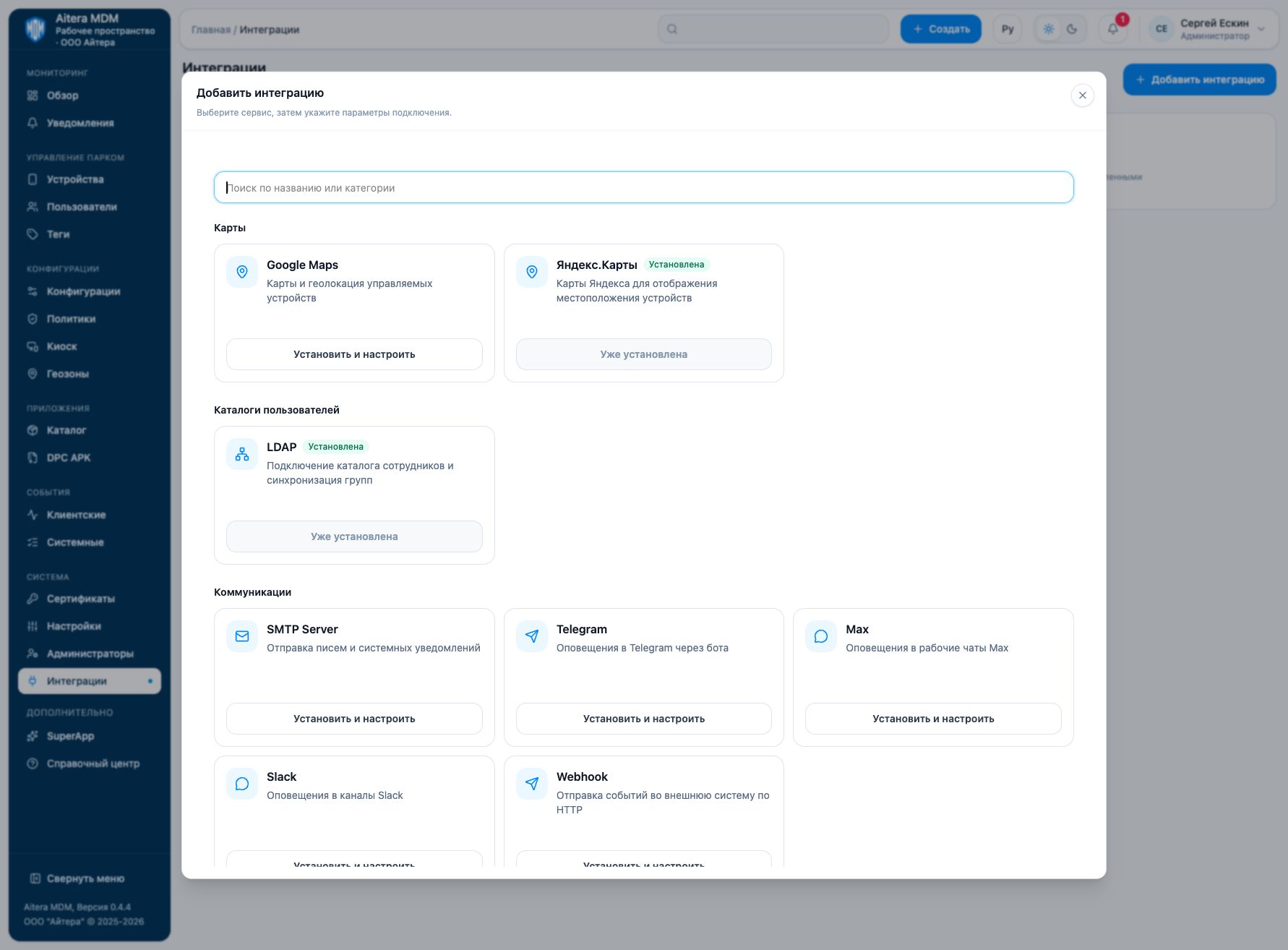
The catalog includes maps, LDAP, SMTP, Telegram, Max, Slack, Webhook, Android Enterprise, Apple Push (APNs), RuStore and Apple Business Manager. A service that is already installed is configured from its own card.
“Configured” means saved settings. A disabled integration remains installed; deletion is a separate action.
Enter keys, passwords, tokens and service account files only in the intended form. Do not add them to the help text, screenshot captions or error messages.
Related instructions
Back to the “Integrations” section
Service instructions
Last updated