Webhook
Sending MDM events to a receiving system. Before connecting, agree with the recipient’s owner on the event format and authenticity verification.
Open Integrations → Add integration → Webhook. For an already installed connection, use Configure.
Preparation
- Create a dedicated HTTPS endpoint for MDM events in the receiving system and define the allowed methods, headers, and responses.
- Generate a random shared secret on the recipient side and set up signature/secret verification there according to the integration contract.
- Add only the necessary non-secret headers as a JSON object. Keep secrets in the separate secret field.
- Check the test event, the response code, protection against repeated delivery, and the logs of both systems.
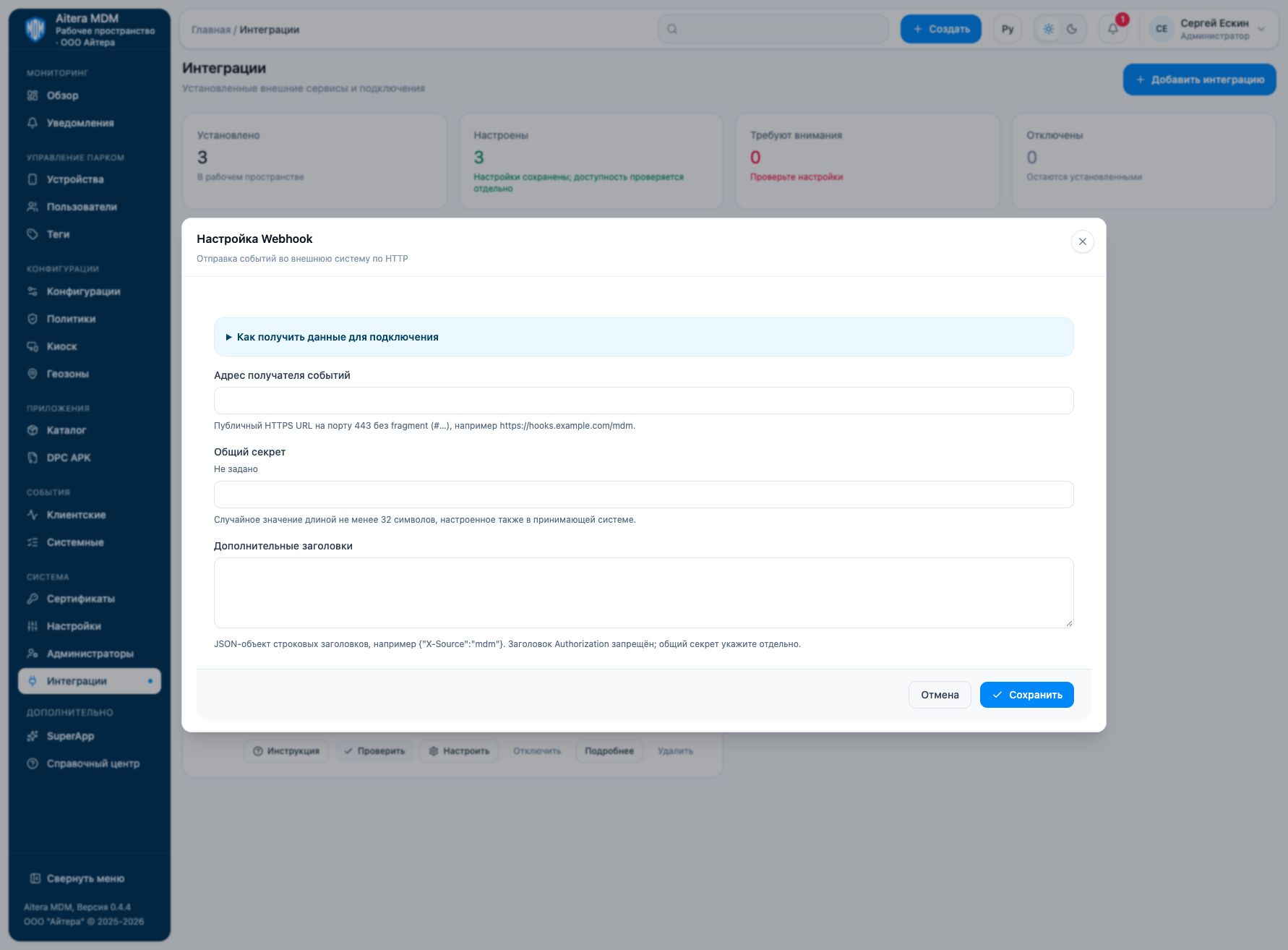
Parameters
| Field | Type | Purpose and filling rules |
|---|---|---|
| Event recipient address | Setting | Public HTTPS URL on port 443 without a fragment (#…), for example https://hooks.example.com/mdm. |
| Additional headers | Setting | JSON object of string headers, for example {“X-Source”:“mdm”}. The Authorization header is not allowed; specify the shared secret separately. |
| Shared secret | Secret | Random value of at least 32 characters, also configured in the receiving system. |
Saving and changing
Fill in the parameters and click “Save”. When the form is reopened, secrets are not shown: the secret presence indicator is not its value. An empty field for an existing secret keeps the previous value; a new value replaces it. After making changes, check the connection again.
The Webhook type is available in the full integration catalog.
Verifying the result
- Prepare a public HTTPS endpoint reachable from the MDM server.
- Configure the shared secret on both sides; add only the necessary string headers.
- Check the connection and an allowed test event; confirm in the recipient’s log that the event was received and processed.
The “Configured” status means the settings are saved. Evaluate the result of the connection check and the result of the target operation separately. Details of the check are available on the connection card.
Limitations and dependencies
The secret must contain at least 32 characters. The signature scheme, header name, retries, and delivery guarantees cannot be inferred from the form: they must be agreed according to your backend’s contract. On the recipient side, account for repeated events and verify the authenticity of the request.
Troubleshooting
| Symptom | What to check |
|---|---|
| The form rejects the URL | Check HTTPS, port 443, the absence of a fragment, and that the address is public. |
| The form rejects the headers | The value must be a JSON object of strings; Authorization cannot be set in this field. |
| The recipient rejects the event | Compare the secret, the signature contract, the body format, and the endpoint response. |
| HTTP succeeds, but there is no business action | Check the recipient’s handler: HTTP reception and successful processing are different stages. |