RuStore
Access to the Android application card in RuStore and to the push project parameters. In the current version, saving this form does not by itself switch the active server push channel.
Open Integrations → Add integration → RuStore. For an already installed connection, use Configure.
Preparation
- Find the application’s project_id in the push notifications section of RuStore Console and the package name on the application card or in the application list API response.
- In RuStore Console, open the application and the keys section, create a private key, and save its keyId. Following the official example, sign the keyId with the current timestamp and call POST /public/auth/.
- Copy the JWE from body.jwe of the response into Public-Token. It is valid for 900 seconds, so obtaining it must be automated or handed to an administrator immediately before the setup.
- In the “Push server token” field, paste the push project token from the RuStore application settings. This form does not yet switch the active server push delivery.
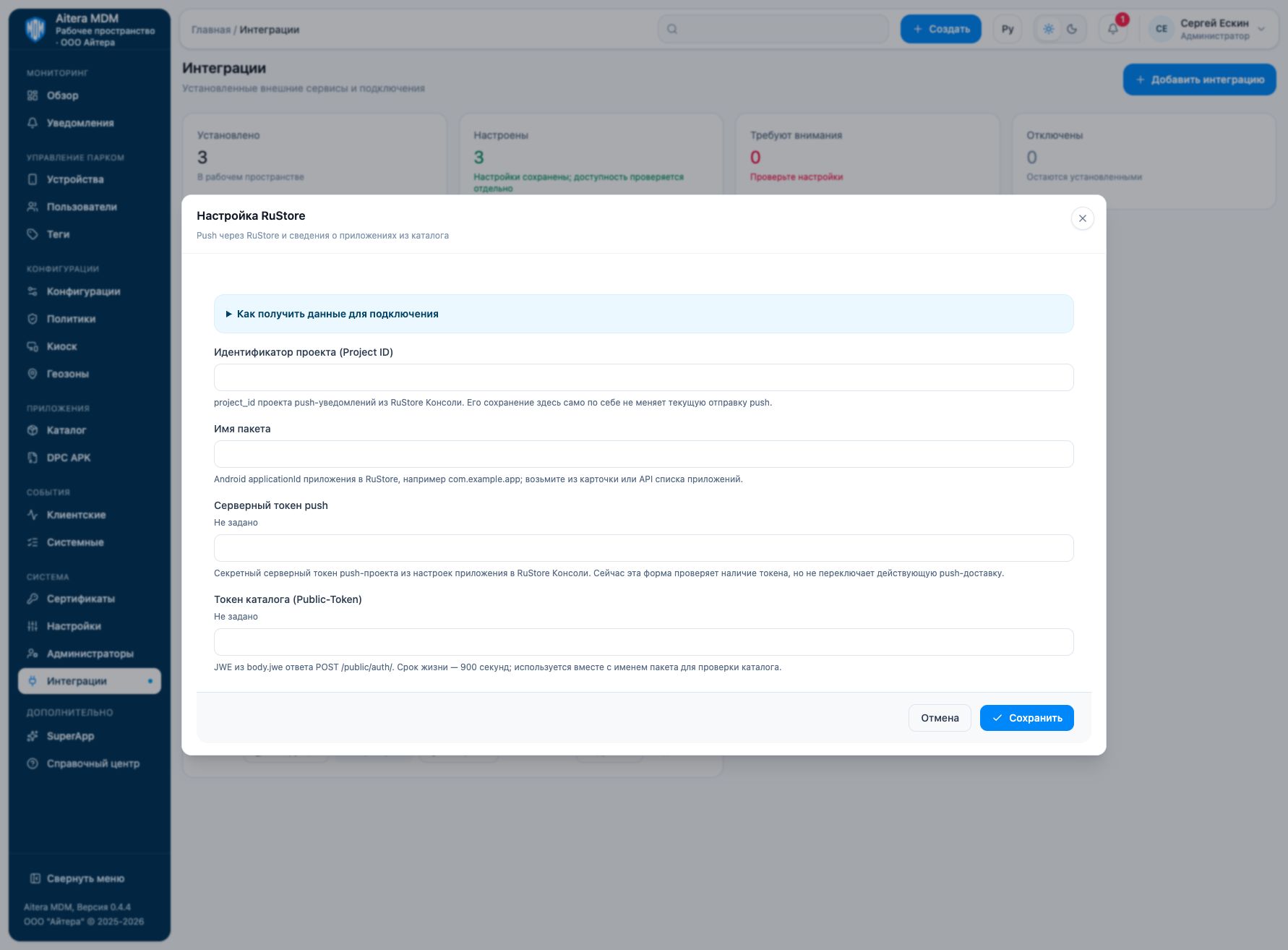
Parameters
| Field | Type | Purpose and filling rules |
|---|---|---|
| Project ID | Setting | project_id of the push notifications project from RuStore Console. Saving it here does not by itself change the current push sending. |
| Package name | Setting | Android applicationId of the application in RuStore, for example com.example.app; take it from the card or the application list API. |
| Push server token | Secret | Secret server token of the push project from the application settings in RuStore Console. Currently this form checks that the token is present but does not switch the active push delivery. |
| Catalog token (Public-Token) | Secret | JWE from body.jwe of the POST /public/auth/ response. Lifetime is 900 seconds; it is used together with the package name to check the catalog. |
Saving and changing
Fill in the parameters and click “Save”. When the form is reopened, secrets are not shown: the secret presence indicator is not its value. An empty field for an existing secret keeps the previous value; a new value replaces it. After making changes, check the connection again.
The RuStore type is available in the full integration catalog.
Verifying the result
- Match packageName with the applicationId of the required application.
- Obtain a fresh Public-Token and check access to the catalog card.
- To confirm push, separately check the server sender settings, the device token, and an allowed test delivery.
The “Configured” status means the settings are saved. Evaluate the result of the connection check and the result of the target operation separately. Details of the check are available on the connection card.
Limitations and dependencies
The catalog Public-Token and the push server token are different secrets with different purposes. The built-in instruction states a Public-Token lifetime of 900 seconds; do not use it as a permanent push token. The project and package name must match.
Troubleshooting
| Symptom | What to check |
|---|---|
| The catalog no longer passes the check | Refresh the short-lived Public-Token and check packageName. |
| Settings are saved, but push does not arrive | This form does not connect server sending automatically; check the push setup on the server and the client registration. |
| The token check passes, but there is no delivery | Checking that the server token is present does not confirm delivery to the device. |