Slack
Notifications to a Slack channel on behalf of an installed application with a bot user.
Open Integrations → Add integration → Slack. For an already installed connection, use Configure.
Preparation
- Create a Slack app for the required organization and add the bot permission chat:write.
- Install the app in the Slack organization and copy the Bot User OAuth Token.
- Invite the bot to the private channel and copy the channel ID from its details.
- Save the settings and check that a message is sent.
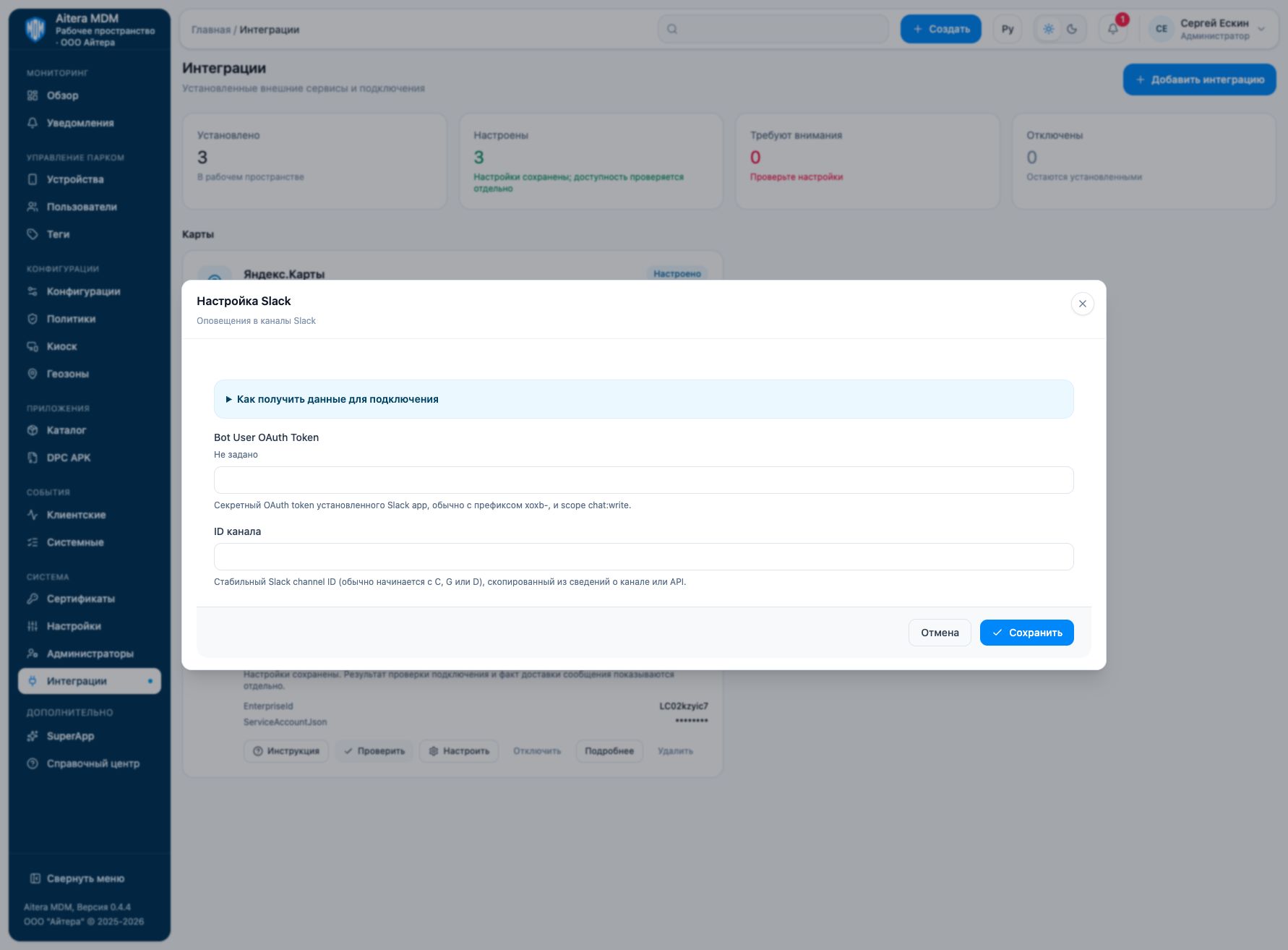
Parameters
| Field | Type | Purpose and filling rules |
|---|---|---|
| Channel ID | Setting | Stable Slack channel ID (usually starting with C, G, or D), copied from the channel details or the API. |
| Bot User OAuth Token | Secret | Secret OAuth token of the installed Slack app, usually with the xoxb- prefix, and the chat:write scope. |
Saving and changing
Fill in the parameters and click “Save”. When the form is reopened, secrets are not shown: the secret presence indicator is not its value. An empty field for an existing secret keeps the previous value; a new value replaces it. After making changes, check the connection again.
The Slack type is available in the full integration catalog.
Verifying the result
- Install the Slack app in the required workspace.
- Check the chat:write permission and the bot’s access to the target channel.
- Specify the stable channel ID, check the connection, and check that an allowed test notification is received.
The “Configured” status means the settings are saved. Evaluate the result of the connection check and the result of the target operation separately. Details of the check are available on the connection card.
Limitations and dependencies
Use the channel ID, not its display name. A token from another Slack workspace does not give access to your channel. For a private channel, check the bot’s membership separately.
Troubleshooting
| Symptom | What to check |
|---|---|
| channel_not_found | Check the ID, the workspace, and the bot’s access to the channel. |
| not_in_channel | Add the bot to the required channel if the selected permissions require it. |
| invalid_auth / missing_scope | Check the Bot User OAuth Token, the app installation, and the permissions. |